|
|
|
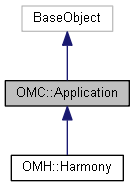
The object representing the overall running application at the base level.
The top level object, representing the currently running application, Harmony, Storyboard or Control Center. Generally provided from the main Python module's session.
Public Member Functions | |
| void | process_one_event () |
| Processes the next event in the application's event queue. More... | |
| void | log (const QString &log) const |
| Write to the application's Message Log; defaults to a trace_level log. More... | |
| void | log (const QString &log, const QString &level) const |
| Write to the application's Message Log with different levels as an option. More... | |
| void | trace (const QString &log) const |
| Write to the application's Message Log as trace output. | |
| void | debug (const QString &log) const |
| Write to the application's Message Log as debug output. | |
| void | error (const QString &log) const |
| Write to the application's Message Log as error output. | |
Public Attributes | |
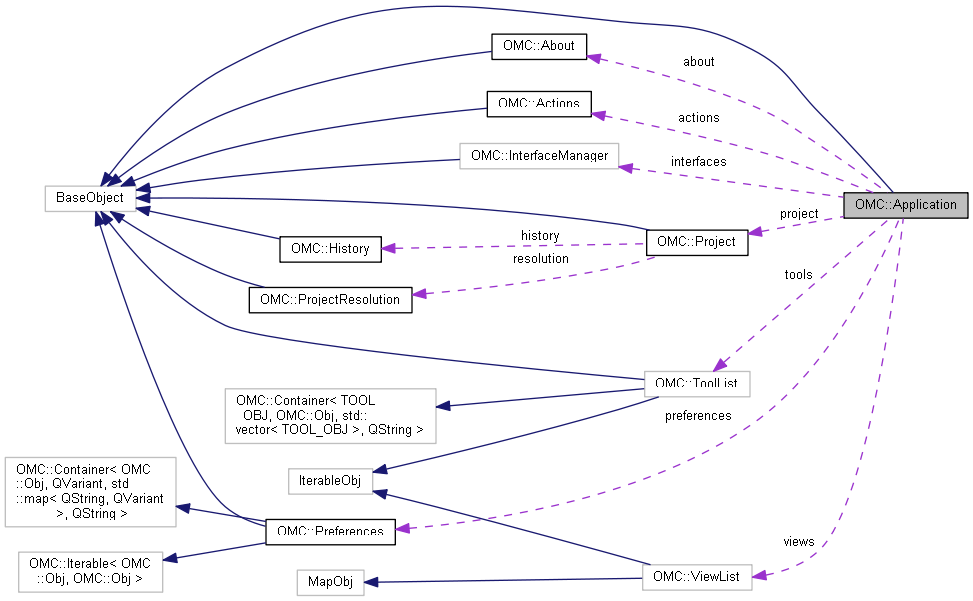
| OMC::Project * | project |
| Get the active project from the instance of the application. | |
| OMC::About * | about |
| Get the active about details from the instance of the application. | |
| OMC::Preferences * | preferences |
| Get the active preferences from the instance of the application. | |
| OMC::Actions * | actions |
| Get the application's actions. | |
| OMC::ViewList * | views |
| Get the application's available views. | |
| OMC::ToolList * | tools |
| Get the application's available tools. | |
| OMC::InterfaceManager * | interfaces |
| Get the DOM interface manager. | |
| void OMC::Application::log | ( | const QString & | log | ) | const |
Write to the application's Message Log; defaults to a trace_level log.
| void OMC::Application::log | ( | const QString & | log, |
| const QString & | level | ||
| ) | const |
Write to the application's Message Log with different levels as an option.
The Message Log supports three levels of output, which can be specified in this function.
Available log levels include:
| void OMC::Application::process_one_event | ( | ) |
Processes the next event in the application's event queue.
In the event that the script requires updates in the GUI, process_one_event() will ublock the application from the current script and run the next event in the application queue.