Generate Scene Length with AI dialog
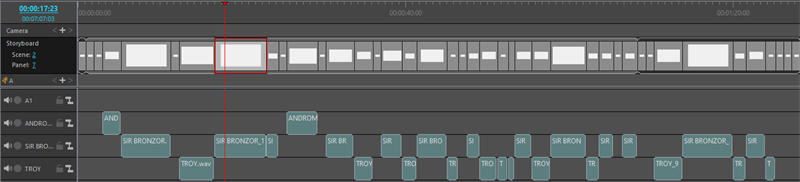
The Generate Scene Length with AI operation will set the timing of your storyboard panels and scenes based off of the dialogue in your script. Your script will need to be broken down into its individual panels and scenes in both the Panel view and Timeline view.
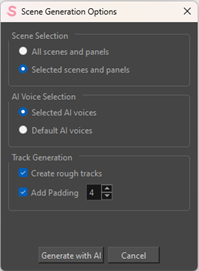
| Property | Description |
|---|---|
| Scene Selection | |
| All scenes and panels | Create a scratch track and timing for all scenes and panels in your project. |
| Selected scenes and panels | Create a scratch track and timing for selected scenes and panels in your project. |
| AI Voice Selection | |
| Selected AI voices | Apply voices to your dialog using the AI voices selected using the Select Character Voices dialog. |
| Default AI voices |
Apply a generic AI voice to your dialog. NOTE The Default AI voices will override any selected AI voices and provide all characters with a generic AI voice.
|
| Track Generation | |
| Create rough tracks |
When enabled, the Generate Scene Length with AI will create audio tracks for the dialogue. When disabled, the Generate Scene Length with AI will time the panels to the dialogue, but will not create any audio tracks. |
| Add Padding | When enabled, will apply extra frames to the panel so that the panel does not end abruptly with the audio. |
| Padding Frames | A numberbox that allows you to dictate the amount of frames for the padding of your panels. |
| Generate with AI | Confirm generating your scene with AI. |
| Cancel | Terminate operation to generate your scene using AI. |