About Creating 3D Models for Harmony
The first step to integrating 3D models into a Harmony scene is to export the model into a supported format so that it can be imported in a Harmony scene. Harmony can work with the following types of 3D objects.
- Filmbox (.fbx)
- 3DS Max (.3ds)
- Wavefront OBJ (.obj)
- Allembic (.abc)
- Collada (.dae)
- USDZ (.usdz)
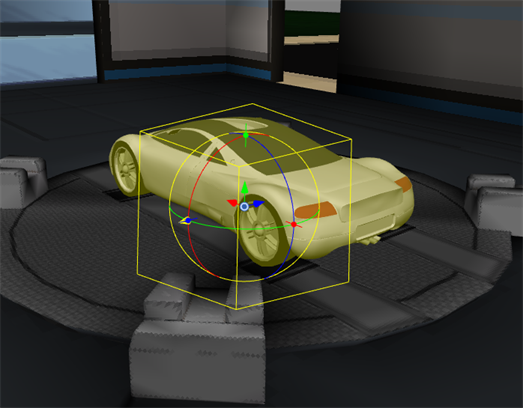
If you set up your scene to render through Autodesk Maya or Blender, Harmony will use the original Maya or Blender project to create the rendered image. Hence, even though these formats do not carry all the details of the original project, your choice of 3D model type has no effect on the final render. A 3D model in Harmony can hence be considered a reference model. You can even export the model with optimizations, such as lower resolution textures or reduced details in the geometry, so as to enhance performance when manipulating the object in Harmony. Note however that the exported model must be in the same size and position as the model in the Maya project.
However, if you do not plan to render the scene through Autodesk Maya or Blender, be aware that the model will be rendered as it appears in the Camera view, using OpenGL, and that the render will based strictly on 3D object file imported in the scene, not on the Maya or Blender project.
In order for the 3D model to render accurately in the Camera view, using OpenGL, it is important to set the unit measurements while working in Autodesk Maya or Blender. It is important that the units of measurement match from one software to the other so that you can get an accurate render in Harmony. By default, Harmony will measure all the imported 3D metadata in centimetres.
For more information about the Use File Units, see Elements/Drawing Node.
Hence, for that purpose, it is recommended to export your model in Filmbox (.fbx) format, as that format can be exported with textures, and to not make texture or geometry optimizations that would affect the quality of the exported model.
Otherwise, even when rendering with Autodesk Maya or Blender, the Filmbox (.fbx) is still one of the most useful model types to work with in Harmony. Since this format can be exported with its textures, this gives a more accurate preview of what the rendered image will look like in the Camera view. Also, an .fbx model can be exported with subnode animations, which Harmony can play in the scene.
Another particularly useful 3D model type is Alembic (.abc). Although this type does not store any texture information, it can store the baked in geometry of a 3D model that is animated with deformations. Harmony can play the different frames of animated Alembic file in the scene, allowing the animator to use the baked-in transformations of an animated model as a reference for animating other elements in the scene around it. If exported from Maya or Blender, an Alembic (.abc) file can also store basic colour information (on a per-vertex basis) which Harmony can display and render.
At last, the Collada (.dae) format allows artists to use models exported from SketchUp without using Sketchup Pro.
When importing a 3D model, you have the option to convert it to a Filmbox (.fbx) file before storing it in the scene. This is because Harmony converts the model to .fbx format internally so it can work with it, so converting the file will allow Harmony to skip converting it internally every time the scene is opened.