Jumps
You can create jumps within both Game Storyboard and the SB Preview view of Godot.
Creating Jumps
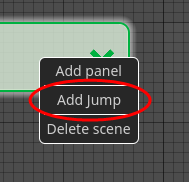
 How make a scene jump in the SB Preview view
-
Do one of the following:
-
Double-click a node representing the scene you would like to jump to another.
-
Right-click the node and select Add jump.
An arrow will form at the cursor.
-
-
Double-click the node of the scene you would like to jump to.
A Jump is created, and the jump will be indicated by an arrow.
Creating Two Way Jumps
A Two Way jump will provide the option to go back to the scene prior to the jump upon playing back your game storyboard. A Two Way jump is marked by an arrow with heads on both sides.
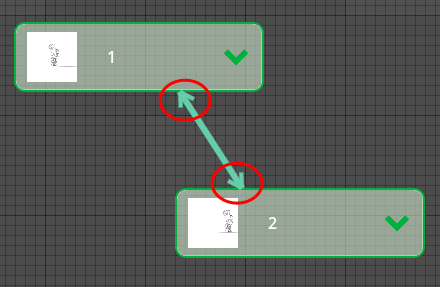
How make a two-way scene jump
-
Click the arrow connecting the scenes.
-
In the Inspector, under SBJump, select the Two Way checkbox
A Two Way jump is created.
Deleting Jumps
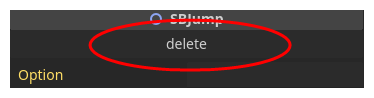
How to delete a scene jump
-
Click the arrow representing the jump.
-
In the Inspector, under SBJump, select Delete.
The jump is deleted.