Drawing Guides are drawing aids that you can add to your
Asset Editor supports a variety of drawing guides that are designed for a different kind of drawing task. Most of Asset Editor's drawing guides work by adding a horizon line and vanishing points to your drawing space. While using a drawing guide, dotted guide lines appear through your mouse cursor. These guide lines are either parallel or perpendicular to the horizon line, or are going from one of the guide's vanishing points to your mouse cursor. When you start drawing a stroke, your drawing tool instantly snap to one of the guide's axes, as if you were drawing against a ruler. You also have the option to use the drawing guide as a visual reference without snapping to the axes of the guides.
In the Guides view, you’ll also notice a Symmetry section. This section is where Symmetry Guides are added. These guides allow you to create drawings with perfect symmetry applied. Please see Symmetry Guides below.
Asset Editor supports the following types of drawing guides:
-
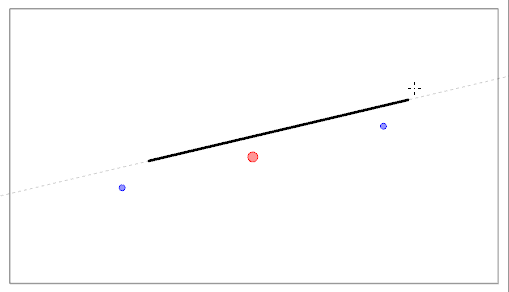
The Ruler allows you to position and rotate a simple axis, then draw a line along that axis, like a regular ruler.
-
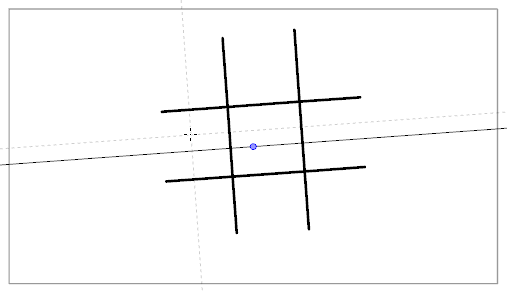
The Square Grid helps you draw lines that are either parallel or perpendicular to a horizon line.
-
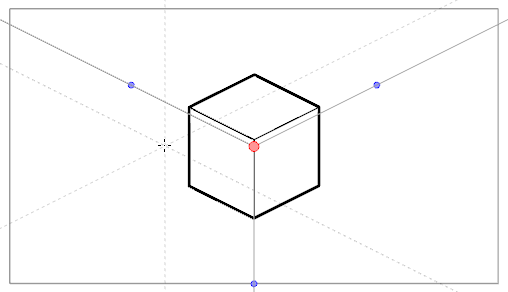
The Isometric Perspective guide helps you draw lines that are parallel to one of three axes: The x-axis, the y-axis and the z-axis. The angle of each axis can be customized as needed.
This type of pseudo-perspective can also be referred to as parallel projection., This method is often used in 2D games and computer graphics. In 2D animation, it is often used to draw long tilting backgrounds from a low or high angle. In 3D isometric perspective is used to depict schematics of 3D elements without using perspective, foreshortening or 3D rendering.
-
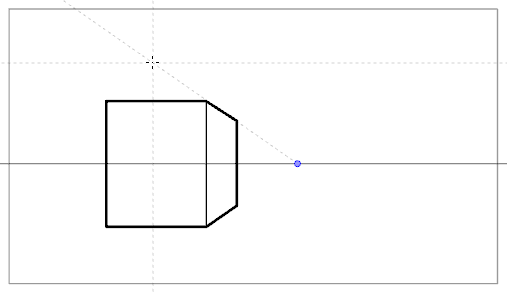
The 1-Point Perspective guide helps you draw lines coming from a single vanishing point on the horizon. It also helps you draw lines that are either parallel or perpendicular to the horizon line.
This is useful for drawing cuboid structures that are facing the camera.
-
The 2-Point Perspective guide helps you draw lines coming from one of two vanishing points. Typically these points are placed on the horizon line outside the camera field. It also helps you draw lines that are perpendicular to the horizon line.
In order to use a drawing guide, you must first add it to
 How to add a 1-Point Perspective drawing guide to
- In the Tools toolbar, select either the
 Brush,
  Pencil,
  Stroke or
  Line tool
- Add the Guide view to your workspace by doing one of the following:
- In the top-right corner of any view in your workspace, click on the
 Add View button and select Guides.
 - In the top menu, select Windows > Guides.
There are two sections in the Guides view: the Guide section and the Symmetry Guide section.
The Guides section will display directional alignment tools for reference.
The Symmetry section will allow you to create symmetric strokes based on a set angle
For more information, see Symmetry Guides.
- In the top-right corner of any view in your workspace, click on the
-
 Vertical
 -
Horizontal
-
Dual Axis
When adding a Symmetry Guide, you may select from the following guides:
In the Guides view, click on the  New Guide button and select
  1-Point Perspective.
The new guide will appear in the Guides list.
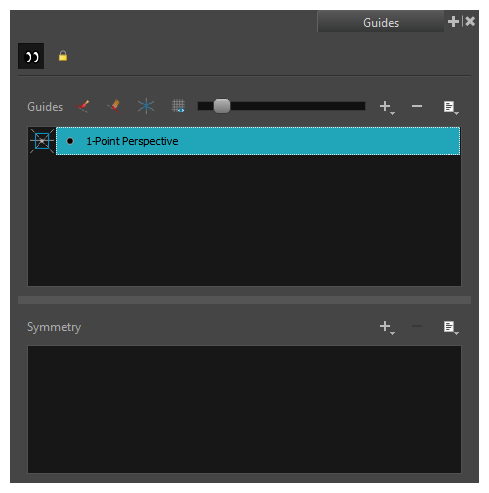
When a new guide is added, it is configured with a preset position and angle for its horizon line and a preset position for its vanishing points. In many cases, you have to make adjustments to your guide so that you can draw backgrounds and objects from the right point of view.
How to adjust a - In the Tools toolbar, select either the Brush, Pencil, Stroke or Line tool
- In the Guides view, make sure that the
 Enable Guides option button is toggled on.
-
In the guides list, select the
1-Point PerspectiveThe selected guide appears in the
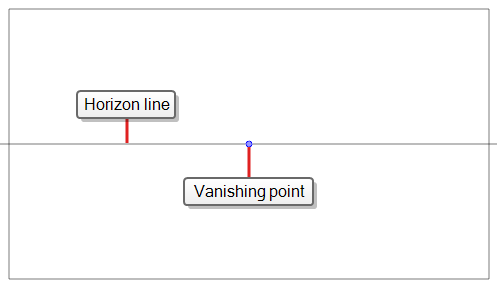
- Do one of the following:
- To reposition the guide without rotating it, click and drag on its
 .
. To rotate the guide, click and drag on its horizon line.
TIPS- When the mouse is positioned over the horizon line, the mouse cursor will change to
 to indicate that you are about to rotate the guide.
 - When rotating a guide, its angle displays in the top-left corner of the
- When the mouse is positioned over the horizon line, the mouse cursor will change to
- To reposition the guide without rotating it, click and drag on its
- Once you are done making adjustments to the guide, you can click on the
 Lock Guides button in the Guides view so as to avoid accidentally modifying your guide while drawing.
Once your guide is selected and properly positioned, you can start drawing with it.
How to draw with a drawing guide
-
In the Timeline view, select a drawing, or select an empty cell and create a new drawing by doing one of the following:
- Right-click on the cell and select Drawing > Create Empty Drawing.
- Press Alt + Shift + R
- In the Tools toolbar, select either the Brush, Pencil, Stroke or Line tool
- In the Guides view, select the guide you wish to use.
- To avoid accidentally editing your guide while you're drawing, click on the Lock Guides button in the Guides view to toggle it on.
- If you want your drawing strokes to be locked against the axes of your guide, make sure the
 Align with Guide option of the Guides view if toggled on. Otherwise, toggle it off to be able to draw freely and only use the guides as references.
 - Move the mouse cursor around the drawing space. Observe that guide lines are going through your mouse cursor, one for each of the axes of the drawing guide.
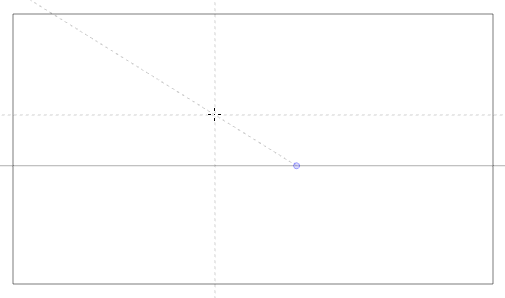
-
Start drawing a stroke roughly at the same angle as one of the axes.
If the
Align with Guide option is enabled, the drawing stroke aligns to the axis that is the closest to its angle, as if you were drawing against a ruler.
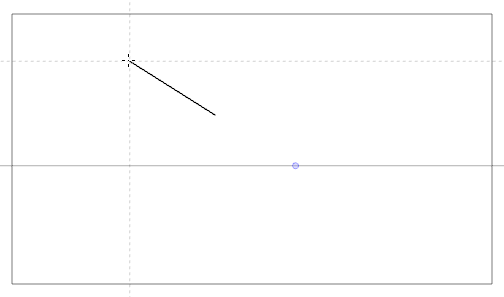
- You can also manually select which axis to lock onto by pressing the Left Arrow and Right Arrow keys to cycle through each axis. The selected axis will appear bolder than the other ones. If you cycle through all the axes, no axis will be bold, meaning the axis your drawing tool locks against is determined by the angle of your drawing stroke again.
- Whether you're drawing or not, you can lock the position and angle of the guide lines by pressing and holding the Alt key. The guide lines will stop following the mouse cursor, allowing you to keep them at a specific angle and position. This can be used to draw over the same line several times over so as to adjust its length and thickness.
Once you are done working with guides, you can disable them. When drawing guides are disabled, they are not displayed in your drawing space and do not affect the behaviour of your drawing tools.
How to enable and disable drawing guides
-
To enable or disable Drawing Guides, do one of the following:
- In the Guides view, click on the Enable Guide button.
- Press Shift + G.
- In the Guides view, click on the Enable Guide
- Guides are automatically enabled when you add a new guide or when you select a guide in the guides list.
- The guide that was selected when you disabled guides will be selected again when you re-enable guides.
- Drawing guides only work with the Brush, Pencil, Stroke and Line tools