Migrate to Version 2 License
The Migrate to V2 License operation enables you to upgrade your version 1 license to a version 2 license. In order to access the Migrate to V2 License operation, you will need to have an active version 1 license and the Toon Boom product version will need to be version 25.1 or newer.
 How to Upgrade to a Version 2 License
-
Launch the License Wizard.
-
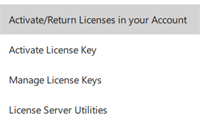
Select the Menu > Activate/Return Licenses in your Account.
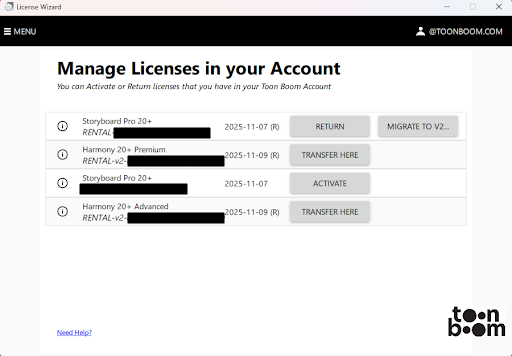
The Manage Licenses in your Account window will appear.
-
Click Migrate to V2 License.
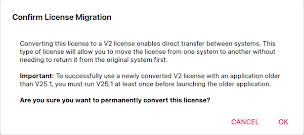
The Confirm License Migration dialog will appear.
-
Click OK.
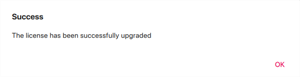
A dialog will appear confirming that your license version 1 has successfully been upgraded.